Lab 2: Running the first playbook
Overview
In this lab, we will run a playbook that will create a configuration on a BIG-IP. This is a very basic configuration, consisting of one virtual server, one pool, and three pool members.
Objective
- Understand the basic structure of an Ansible Playbook
- Deploy a simple BIG-IP configuration using Ansible
Lab Requirements
- SSH or Terminal access to the Ubuntu Jumpbox/Ansible Host
- Access to the BIG-IP TMUI (Web GUI)
Estimated completion time: 10 minutes
TASK 1 - Review the BIG-IP configuration
- Log in to the BIG-IP web GUI.
Hint
Log in to the BIG-IP with username: admin and password: f5DEMOs4u#
- From the left-hand navigation menu, expand the Local Traffic section
- Explore the Virtual Servers, Pools, and Nodes sections
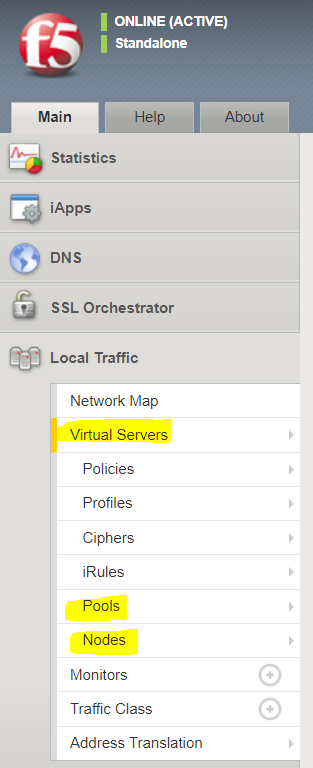
There should be no pre-existing configuration on the BIG-IP
TASK 2 ‑ Review the first playbook
- From the SSH or terminal session, change into the demo1 folder:
$ cd ~/demo1
- List the files in the demo1 folder:
$ lsNote
You will see an “inventory” directory. The hosts file in this directory usually contains lists of hosts to run plays against, and may also contain grouping information and additional information about those hosts. In this lab, because the F5 Ansible modules use the iControlREST API and run locally rather than connecting to the BIG-IP directly via SSH, the inventory file only contains one entry, locahost.
- Examine the first.yaml playbook:
$ less first.yamlNote
Use the arrow keys or PgUp/PgDn to scroll through the file. Use the “q” key to quit back to the prompt.
Take a look at the structure of the playbook. How many tasks are there? How do the F5 modules know how to connect to the BIG-IP system being confugured?
TASK 3 - Run the first playbook
1. From the SSH or terminal session, run the following command to create the new virutal environment:
$ ansible-playbook -i inventory/hosts first.yaml
Watch the output of the ansible-playbook command.
Task 4: Inspecting the results of the first playbook
1. Back in the BIG-IP GUI, go back to the Virtual Servers, Pools, and Nodes screens. How has the configuration changed after running the playbook?
Note
Keep your SSH or terminal session open for the next lab.